Install
SUSE® Rancher Prime Cluster API is a Rancher extension which means that you must have Rancher installed before you can get started with SUSE® Rancher Prime Cluster API.
|
If you don’t have Rancher installed yet, make sure to follow one of the official installation guides. We recommend you take a look at the Prerequisites table to determine the appropriate version to install. |
Prerequisites
Before you can install SUSE® Rancher Prime Cluster API, you need to have the following components installed:
| Name | Version | Details |
|---|---|---|
Kubernetes cluster |
|
|
Helm |
|
Follow the official installation docs |
Rancher |
|
Install using Helm on any Kubernetes cluster, whether self-hosted or on a managed service from Amazon, Azure, or Google. |
Cert-manager |
|
Using Helm based installation or via kubectl apply. |
Components Versions
This table lists the version of the components installed with the latest version v0.17.0 of SUSE® Rancher Prime Cluster API:
|
If you’re customizing the installation parameters, please make sure that you are using compatible versions of the components. |
| Name | Version |
|---|---|
Cluster API Operator |
|
Cluster API |
|
Cluster API Provider RKE2 |
|
Install SUSE® Rancher Prime Cluster API using Rancher Dashboard
This is the recommended option for installing SUSE® Rancher Prime Cluster API.
Via Rancher UI, and just by adding the Turtles repository, we can easily let Rancher take care of the installation and configuration of the Cluster API Extension.
Installing SUSE® Rancher Prime Cluster API will transform your Rancher Manager cluster into a CAPI Management cluster so you can provision and manage CAPI workload clusters.
|
Rancher’s The recommended way to disable this feature and the Rancher-specific webhooks, is to use the official SUSE® Rancher Prime Cluster API Helm chart, that includes a
|
Installation
-
From your browser, access Rancher Manager and explore the local cluster.
-
Using the left navigation panel, go to
Apps->Repositories. -
Click
Createto add a new repository. -
Enter the following:
-
Name:
turtles. -
Index URL: https://rancher.github.io/turtles.
-
-
Wait for the
turtlesrepository to have a status ofActive. -
Go to
Apps->Charts. -
Filter for
turtles. -
Click
Rancher Turtles - the Cluster API Extension -
Click
Install->Next->Install.
|
Rancher will select not to install Turtles into a Project by default. Installing Turtles into a Project is not supported and the default configuration |
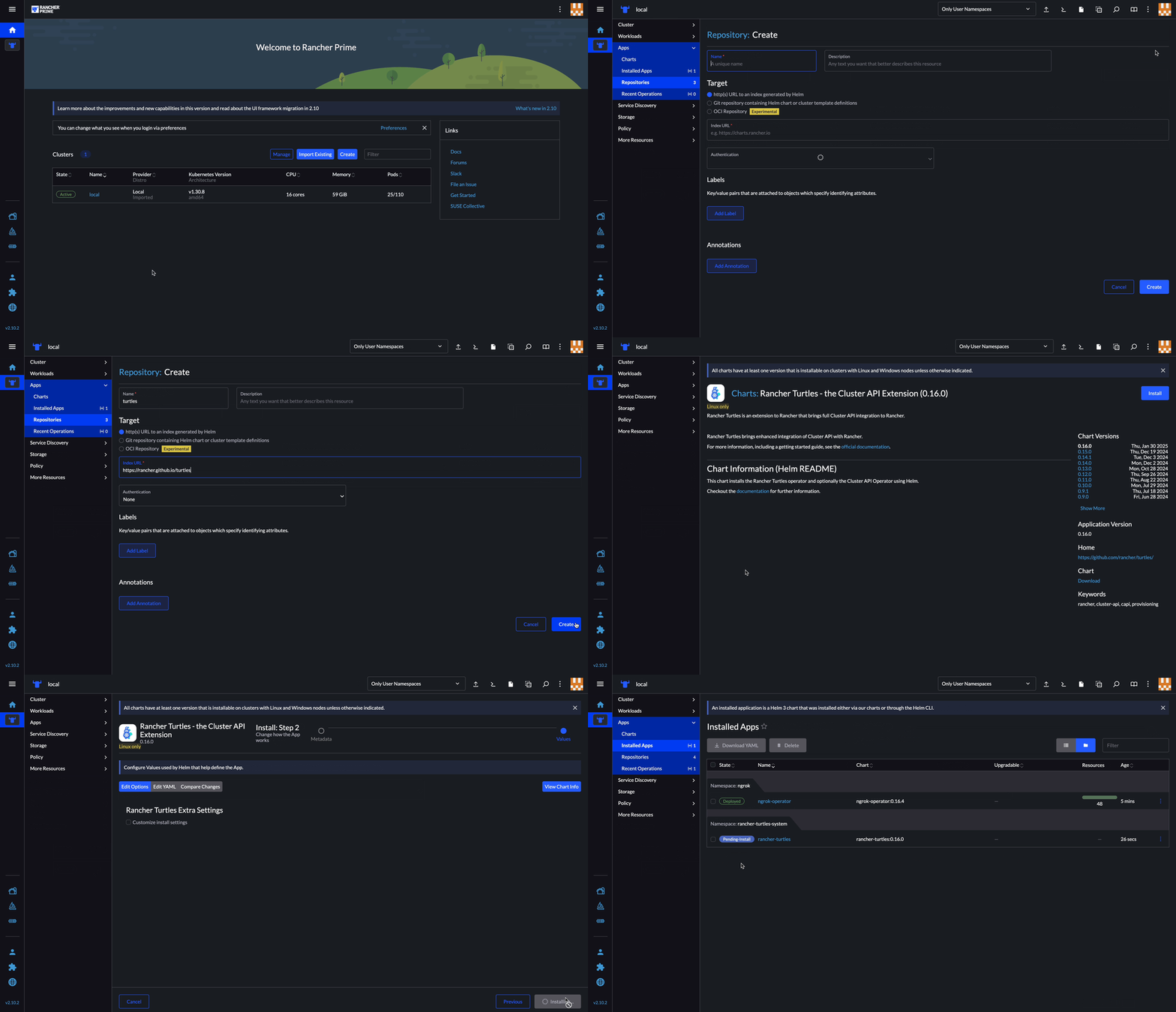
This will use the default values for the Helm chart, which are good for most installations. If your configuration requires overriding some of these defaults, you can either specify the values during installation from Rancher UI or, alternatively, you can opt for the manual installation via Helm. And, if you are interested on learning more about the available values, you can check the reference guide.
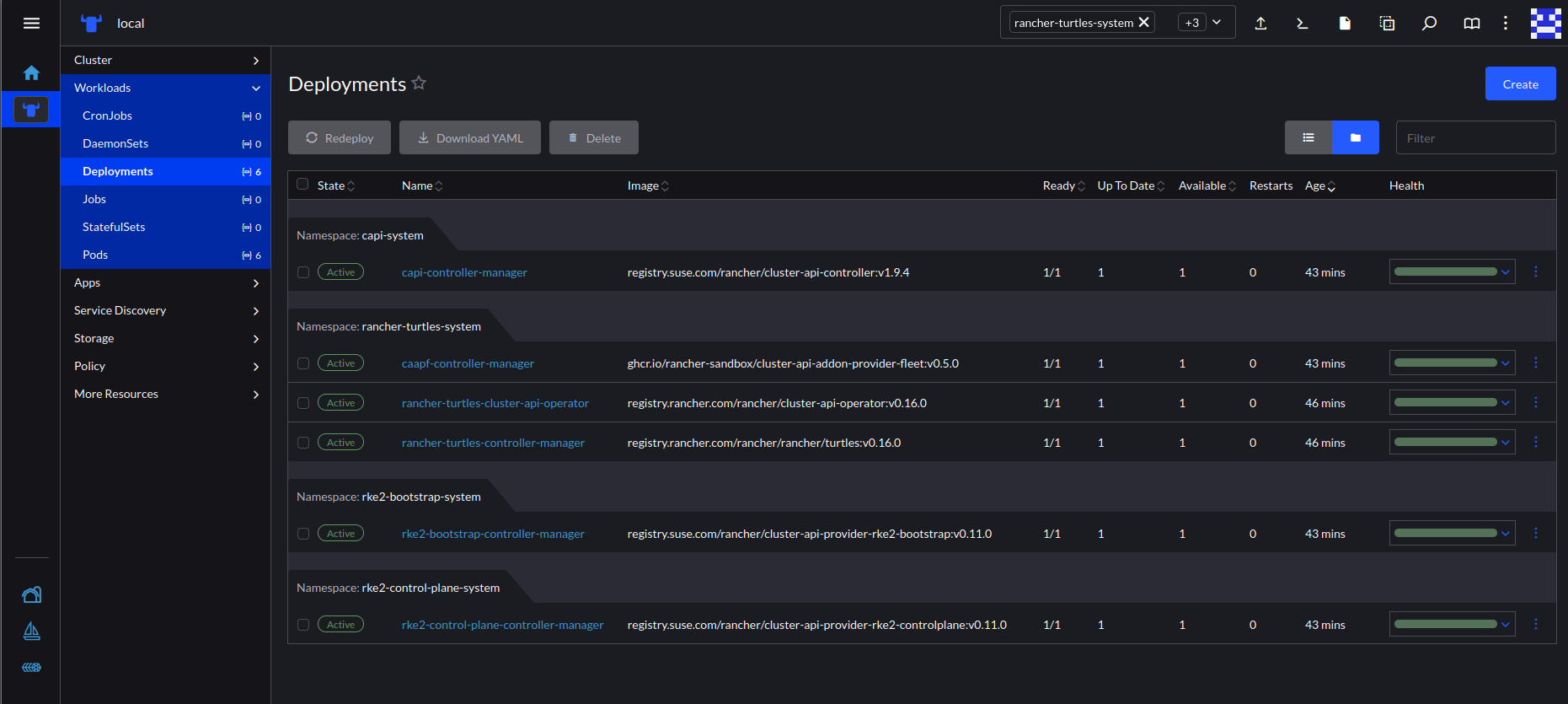
The installation may take a few minutes and, when it finishes, you will be able to see the following new deployments in the cluster:
-
capi-system/capi-controller-manager -
rancher-turtles-system/caapf-controller-manager -
rancher-turtles-system/rancher-turtles-cluster-api-operator -
rancher-turtles-system/rancher-turtles-controller-manager -
rke2-bootstrap-system/rke2-bootstrap-controller-manager -
rke2-control-plane-system/rke2-control-plane-controller-manager