Detect High Bandwidth Used by a Pod/Group (DDoS)
SUSE® Security users can set Group level bandwidth or session-rate violation detection based on preconfigured threshold settings. These settings work for Learned or user-created Groups, but not for Reserved Groups.
A one minute timer is created to periodically check the Group metric threshold for violations. Once a violation is detected, a Group.Metric.Violation event is generated and a message is printed out to describe the event.
You can configure the following metric thresholds for each group:
-
Mon_metric: Enables or disables metric monitoring for the group. -
Grp_sess_rate: Session rate threshold, measured in connections per second (cps). The default value is0, which disables detection. -
Grp_band_width: Throughput threshold, measured in megabits per second (Mbps). The default value is0, which disables detection. -
Grp_cur_sess: Active session count threshold.
Configure group metric thresholds
You can configure group metric thresholds by using either the SUSE® Security CLI or the web UI.
Configure thresholds by using the CLI
To view available group metric options, run the following command:
set group <group-name> setting -hExample output:
--monitor_metric [enable|disable]   Monitor metric status
--cur_sess INTEGER                  Active session threshold
--sess_rate INTEGER                 Session rate threshold (cps)
--bandwidth INTEGER                 Throughput threshold (Mbps)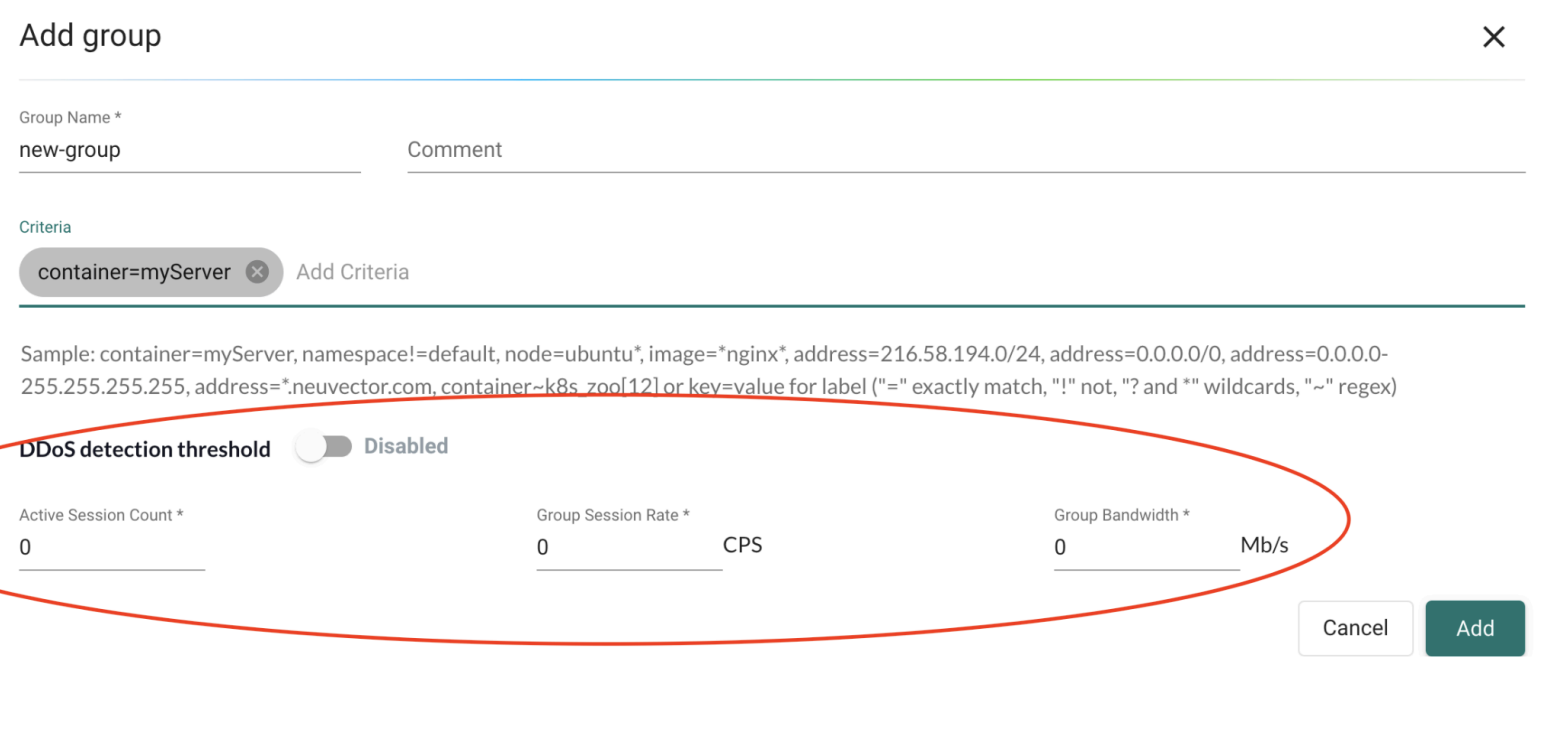
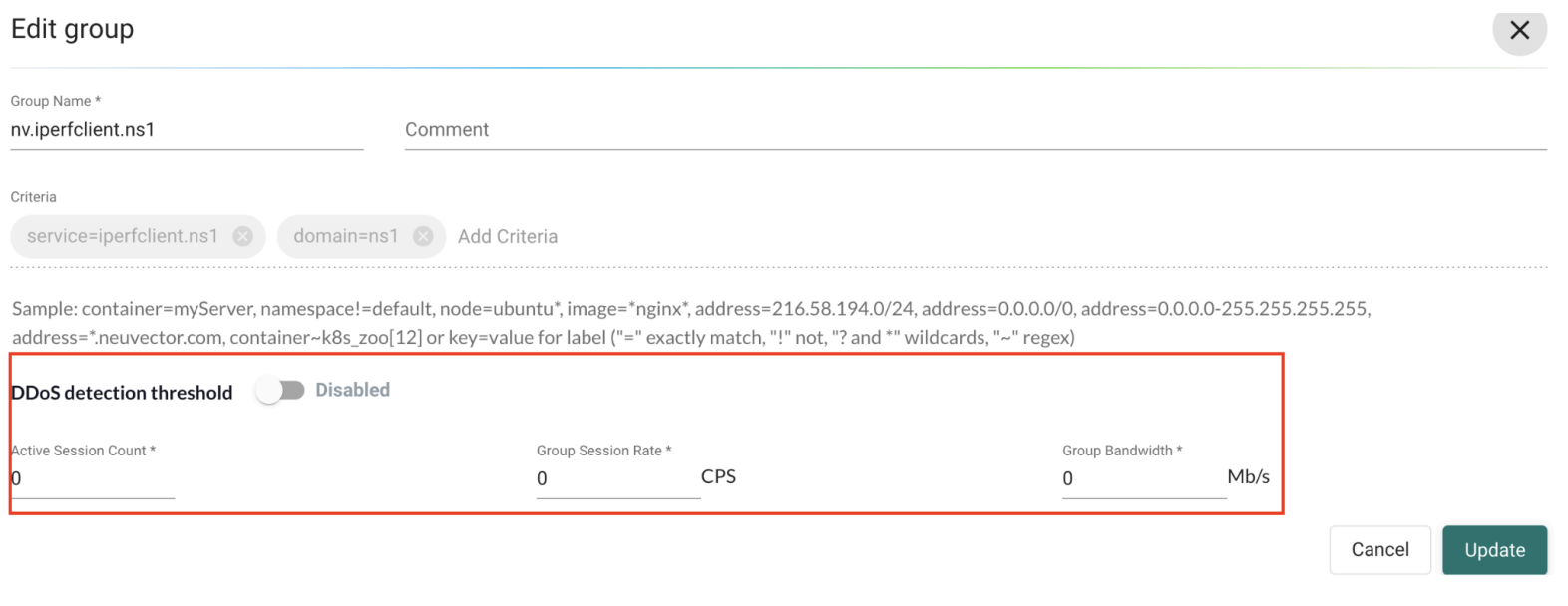
Example workflow
The following example shows how group metric threshold detection works.
-
Add metric thresholds to a learned or user-created group.

-
Generate traffic to the group until the active session count reaches the configured threshold.
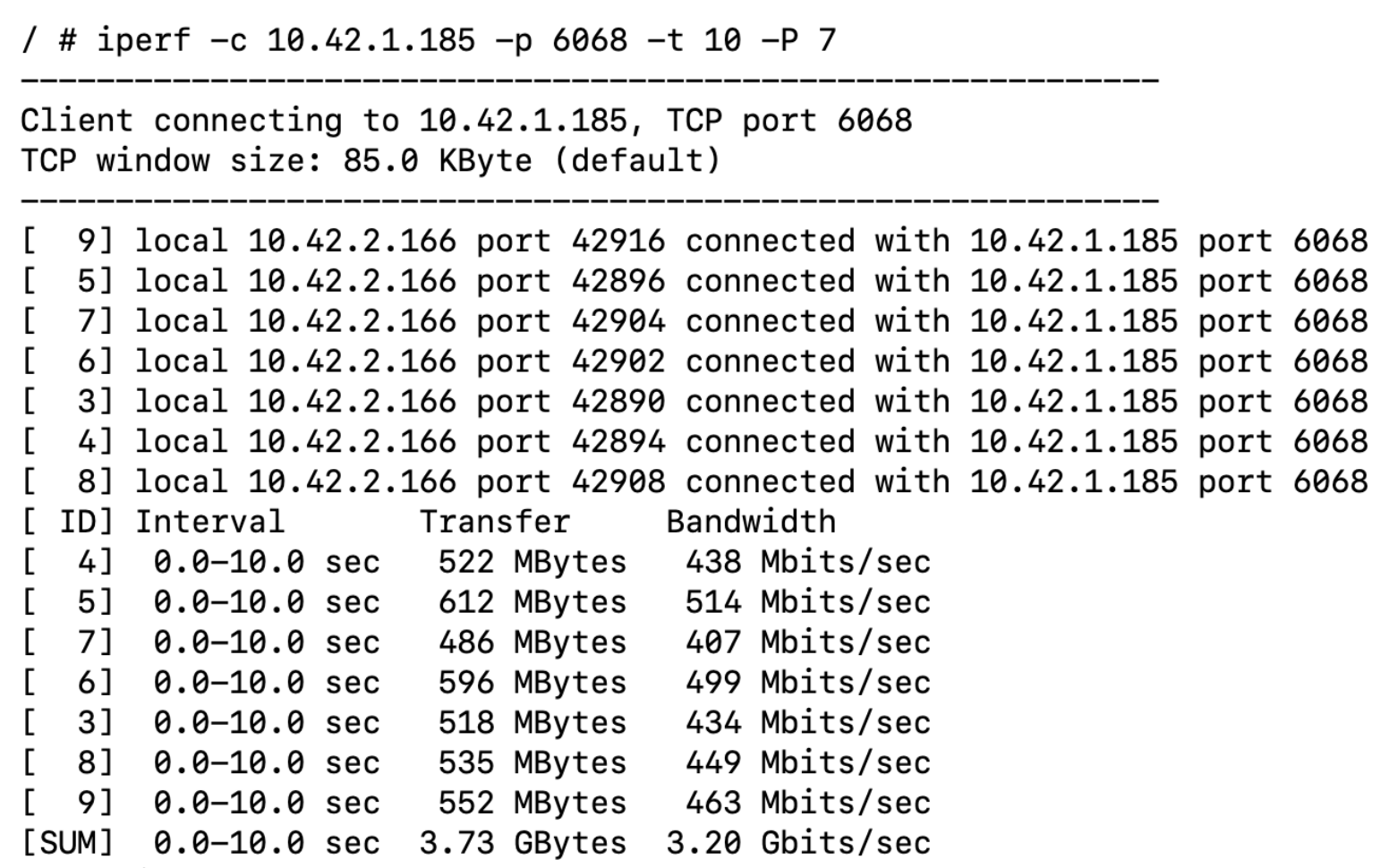
-
When a threshold is exceeded, SUSE® Security generates a
Group.Metric.Violationevent.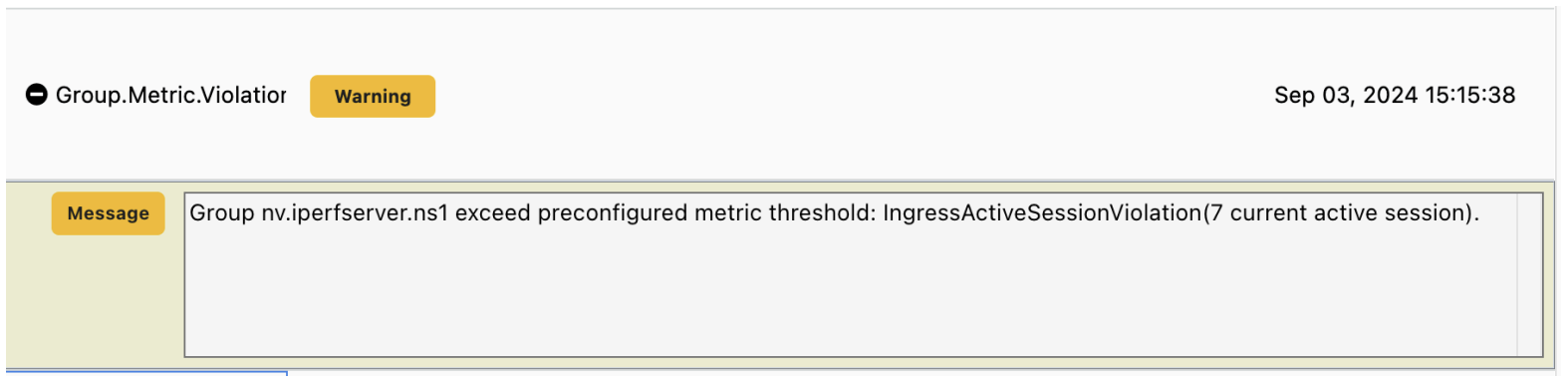
|