|
This is unreleased documentation for Vulnerability Scanner 0.13.0-dev. |
Image List
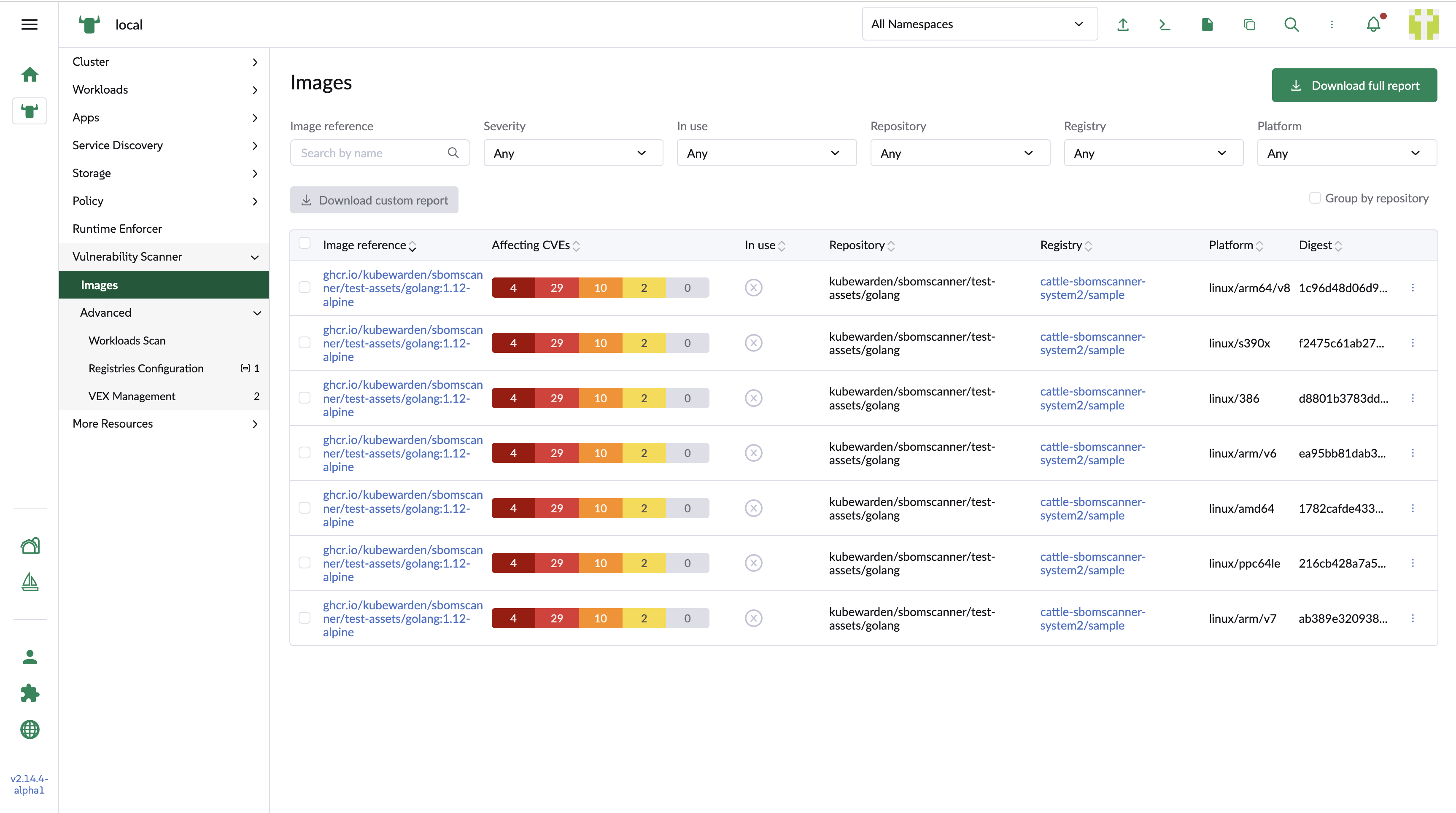
The image list shows the images that have been scanned, with per-column filters.
Registry image list
- Image reference
-
The image name. Links to the image detail page.
- Affecting CVEs
-
Bars showing the distribution of the CVEs affecting the image, by severity.
- In use
-
Whether the image is in use, and the number of workloads using it.
- Repository
-
The repository the image belongs to.
- Registry
-
The registry the image belongs to.
- Platform
-
The platform the image is deployed on.
- Digest
-
The SHA that identifies the image.
Select the Group by repositories checkbox to switch to a repository-based view.
The sub-table under each row lists the images belonging to that repository.

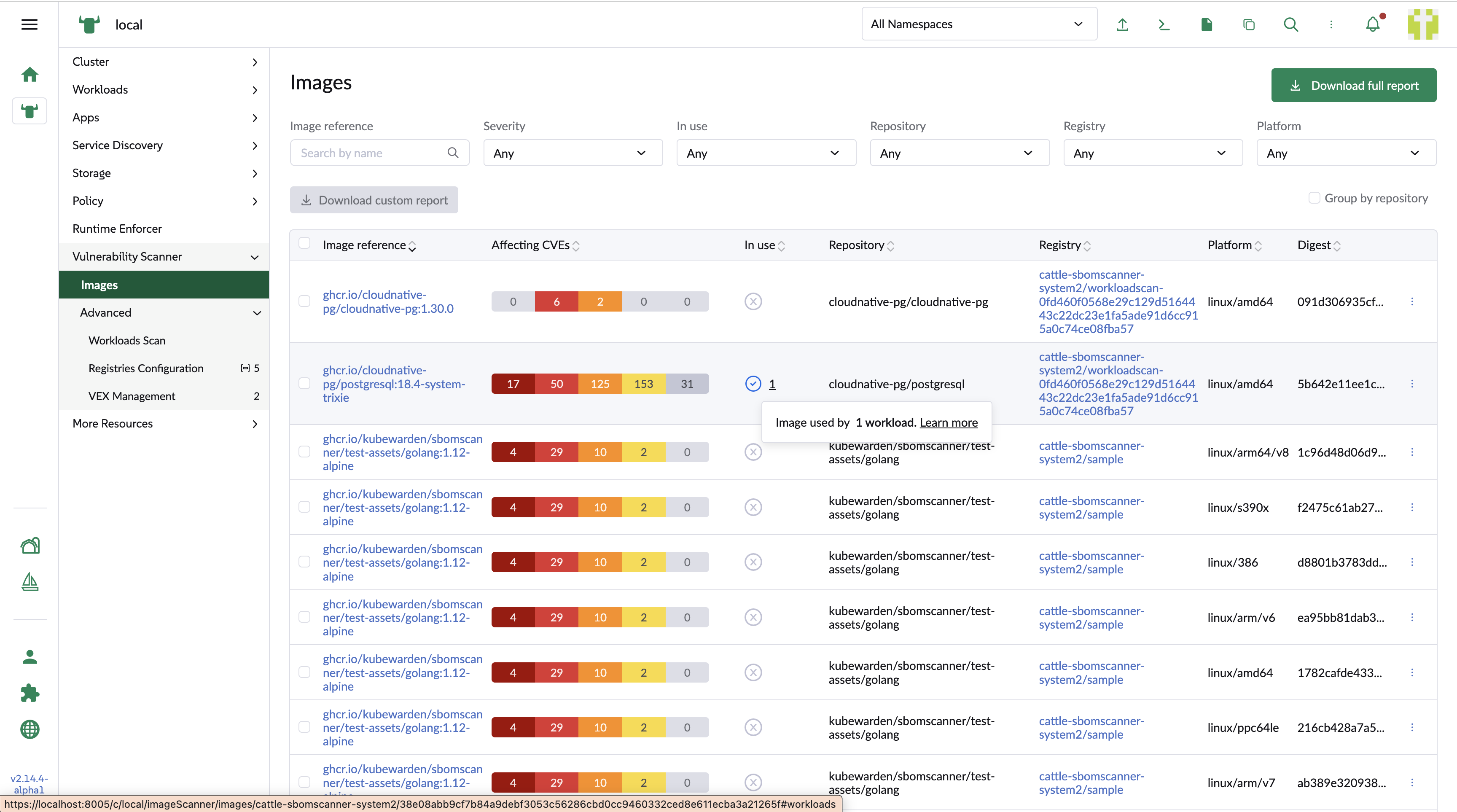
Workload image list
Images used by a workload have In use checked, along with the number of related workloads.
Hover over the value for details.
Exporting reports
You can export vulnerability and SBOM reports in CSV and JSON format:
-
Use the row action menu to download the vulnerability report and the SBOM report for a single image.
-
Use the global download to get the full vulnerability report.
-
Select several images and use the bulk download to get a vulnerability report for just those images.