Prometheus remote_write
When you have your own on-premise or self-hosted Prometheus running where metrics for your environment are aggregated, you can mirror these metrics in SUSE Observability. This will allow you to use SUSE Observability’s powerful topology and correlation features to troubleshoot your Kubernetes environment without having to switch between tools.
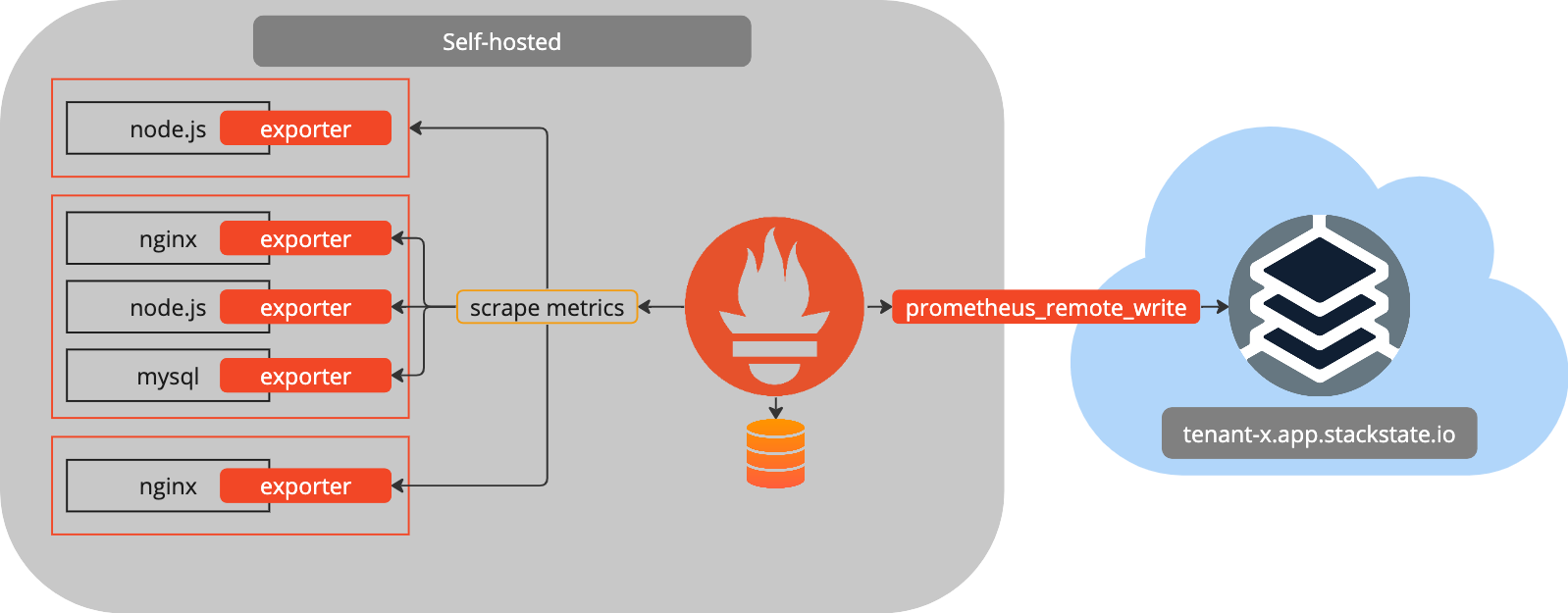
To make this possible, SUSE Observability exposes the Prometheus remote_write protocol as an endpoint. Using this endpoint you can configure your Prometheus instance to send metrics to SUSE Observability. The metrics are then automatically ingested, and it will be possible to bind the metrics to the components observed by SUSE Observability. The following diagram shows how this works:
Prerequisites
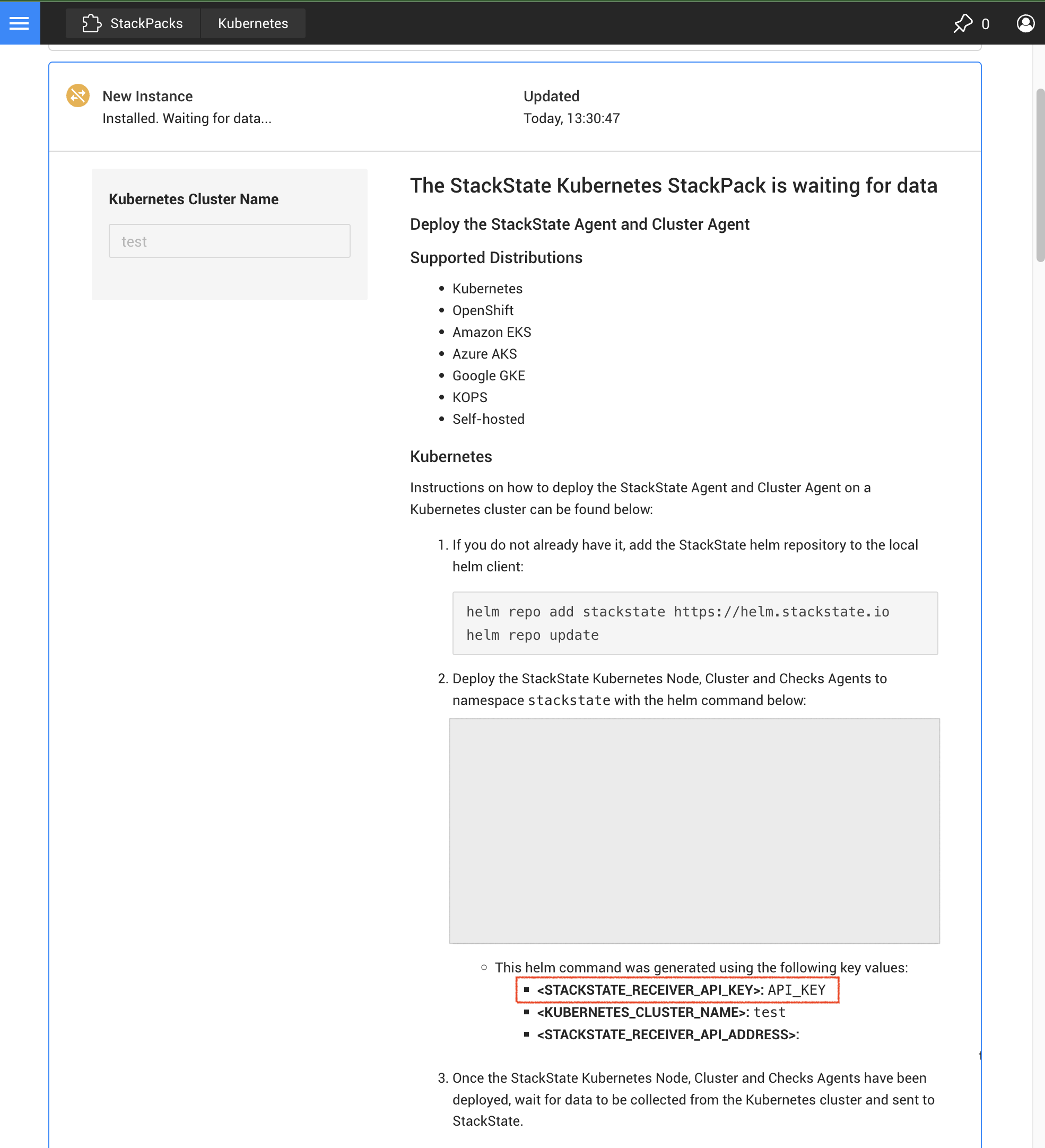
To mirror your Prometheus metrics in SUSE Observability, you need to generate a service token that is used to send in metrics into SUSE Observability. The service token can be found in the description of the installed Kubernetes StackPack in SUSE Observability. The following steps show how to find the service token:
-
Open the SUSE Observability UI and navigate to the StackPacks page

-
Find the Kubernetes StackPack and click it.
-
In the description of the StackPack, find the service token that is used to send in metrics into SUSE Observability.
Configuring your Prometheus instance
|
A service token must be used instead of API_KEY as they are synonymous. The environment variable remains referred to API_KEY in below code snippets for backwards compatibility. |
To configure your Prometheus instance to send metrics to SUSE Observability, you need to add a new remote write endpoint to your Prometheus configuration. This can be done by updating the remote_write section in your prometheus.yml file. There are 2 variants that you can use for the authentication to the endpoint, either through a header or through basic authentication.
Header authentication
You can authenticate using the service token by adding the sts-api-key header to the prometheus remote_write requests. The following example shows how to configure this:
remote_write:
- url: https://<tenant>.app.stackstate.io/receiver/prometheus/api/v1/write
  headers:
    sts-api-key: <API Key>
Basic authentication
You can authenticate using basic authentication by adding the basic_auth section to the prometheus remote_write requests. Because the requests to this API are made from a headless service, the username field is set to the static value apikey. The following example shows how to configure this:
remote_write:
- url: https://<tenant>.app.stackstate.io/receiver/prometheus/api/v1/write
  basic_auth:
    username: apikey
    password: <API Key>
Finishing up
After the configuration changes have been applied to the Prometheus configuration file, Prometheus needs to be restarted. After the restart, Prometheus will start sending metrics to SUSE Observability. The metrics will be automatically correlated with the rest of your environment and will be visible in the SUSE Observability UI.