SUSE Observability Agent (Experimental)
|
suse-observability-agent is an experimental add-on. It is not included in the ISO, but you can download it from the |
The suse-observability-agent add-on installs the SUSE® Observability Agent on the SUSE Virtualization cluster. This agent enables the cluster to connect to SUSE® Observability, which provides comprehensive monitoring, advanced analytics, and seamless integration capabilities.
Installing the add-on
-
Obtain access data from SUSE® Observability.
-
Log in to the SUSE® Observability UI.
-
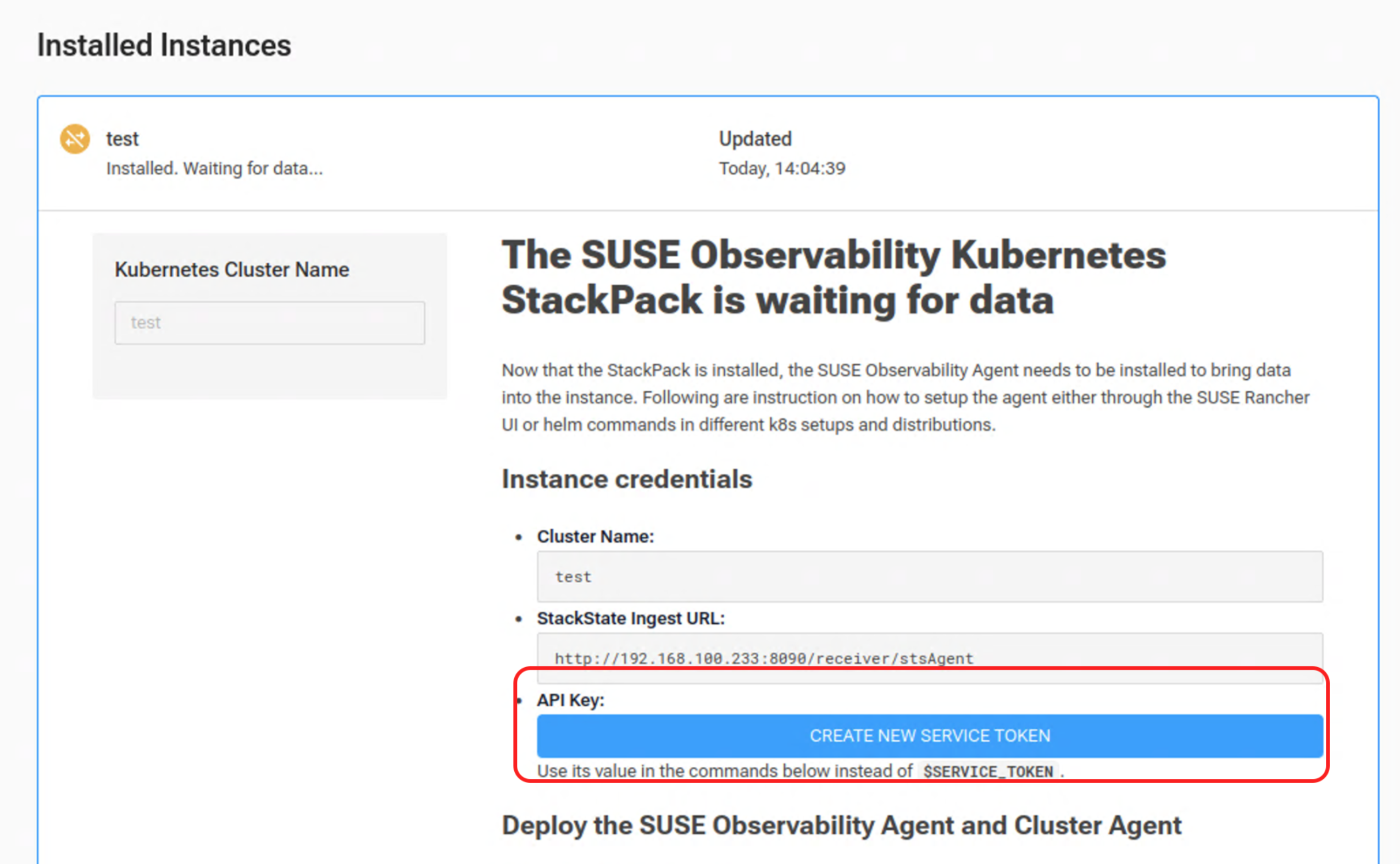
Add a new instance and assign a unique name.
-
Click CREATE NEW SERVICE TOKEN.
-
Follow the instructions and save the generated token.
You must locate the keyword
Generic Kubernetes.
-
-
Deploy the SUSE® Observability Agent and Cluster Agent.
-
Add the SUSE® Observability Helm repository to the local Helm client.
helm repo add suse-observability https://charts.rancher.com/server-charts/prime/suse-observability helm repo update -
Deploy the SUSE® Observability Kubernetes Node, Cluster Agent, and Checks Agent to the
suse-observabilitynamespace.helm upgrade --install \ --namespace suse-observability \ --create-namespace \ --set-string 'stackstate.apiKey'=$SERVICE_TOKEN \ --set-string 'stackstate.cluster.name'='harvester1' \ --set-string 'stackstate.url'='http://192.168.122.141:8090/receiver/stsAgent' \ suse-observability-agent suse-observability/suse-observability-agent
-
-
Deploy the
suse-observability-agentadd-on to a running SUSE Virtualization cluster.kubectl apply -f https://raw.githubusercontent.com/harvester/experimental-addons/v1.8/suse-observability-agent/suse-observability-agent.yaml
Enabling the add-on
-
On the SUSE Virtualization UI, go to Advanced → Add-ons.
-
Select suse-observability-agent (Experimental), and then select ⋮ → Edit YAML.
Alternatively, run
kubectl edit addons.harvesterhci -n suse-observability suse-observability-agent. -
Configure the following settings:
-
apiKey: Service token generated by SUSE® Observability. -
cluster.name: Name used to identify the cluster (value ofset-string 'stackstate.cluster.name'). -
url: Endpoint for the receiver (value ofset-string 'stackstate.url').Example:
  valuesContent: |
    stackstate:
      apiKey: svctok-OxZrVBdB5g7UUESBNW1ozx5u7NrqaaBx
      cluster:
        name: harvester1
      url: http://192.168.122.233:8090/receiver/stsAgentreceiver/stsAgent'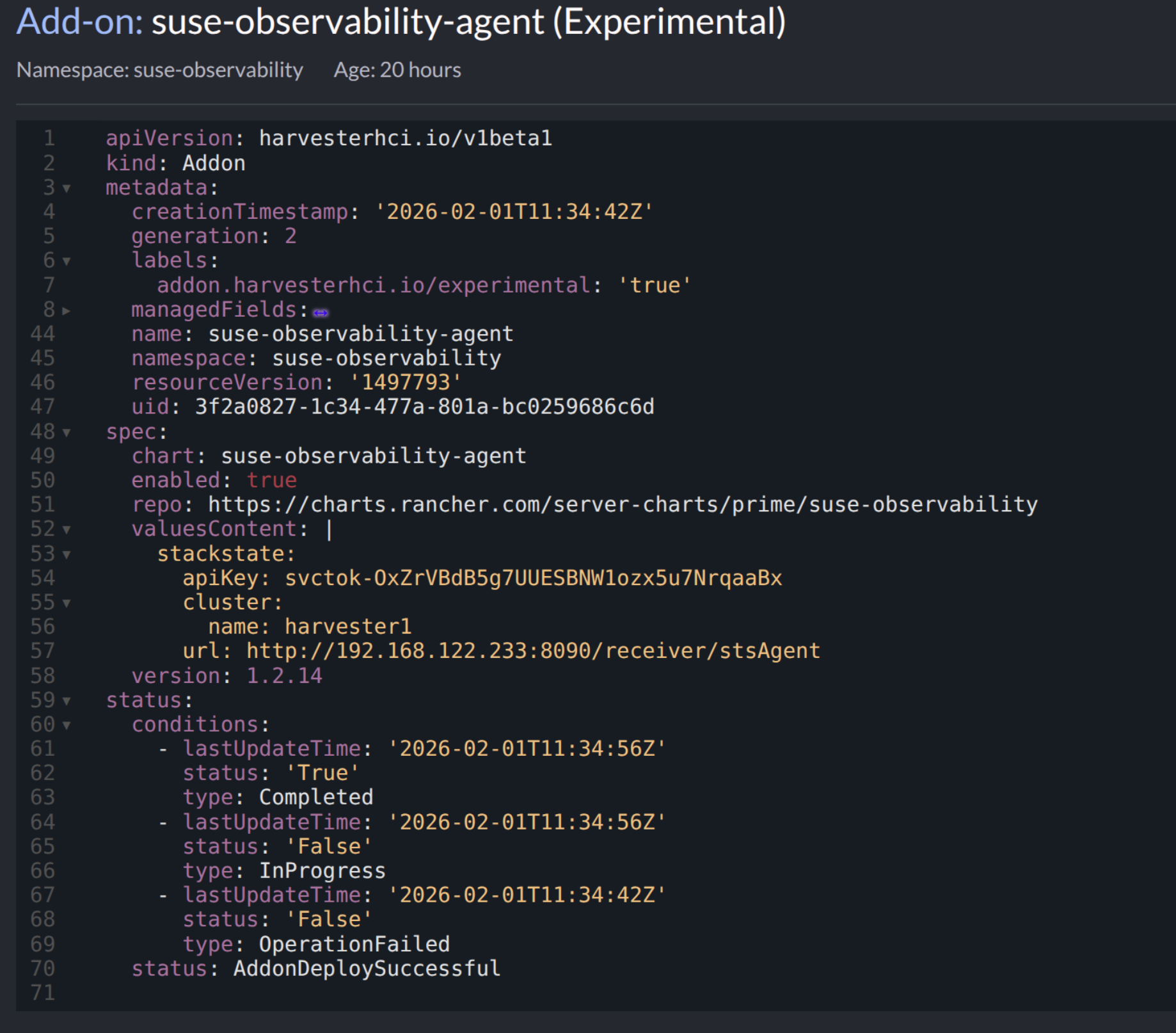
All specified values must match the values in SUSE® Observability.
-
-
On the Add-ons screen, select
suse-observability-agent, and then select ⋮ → Enable.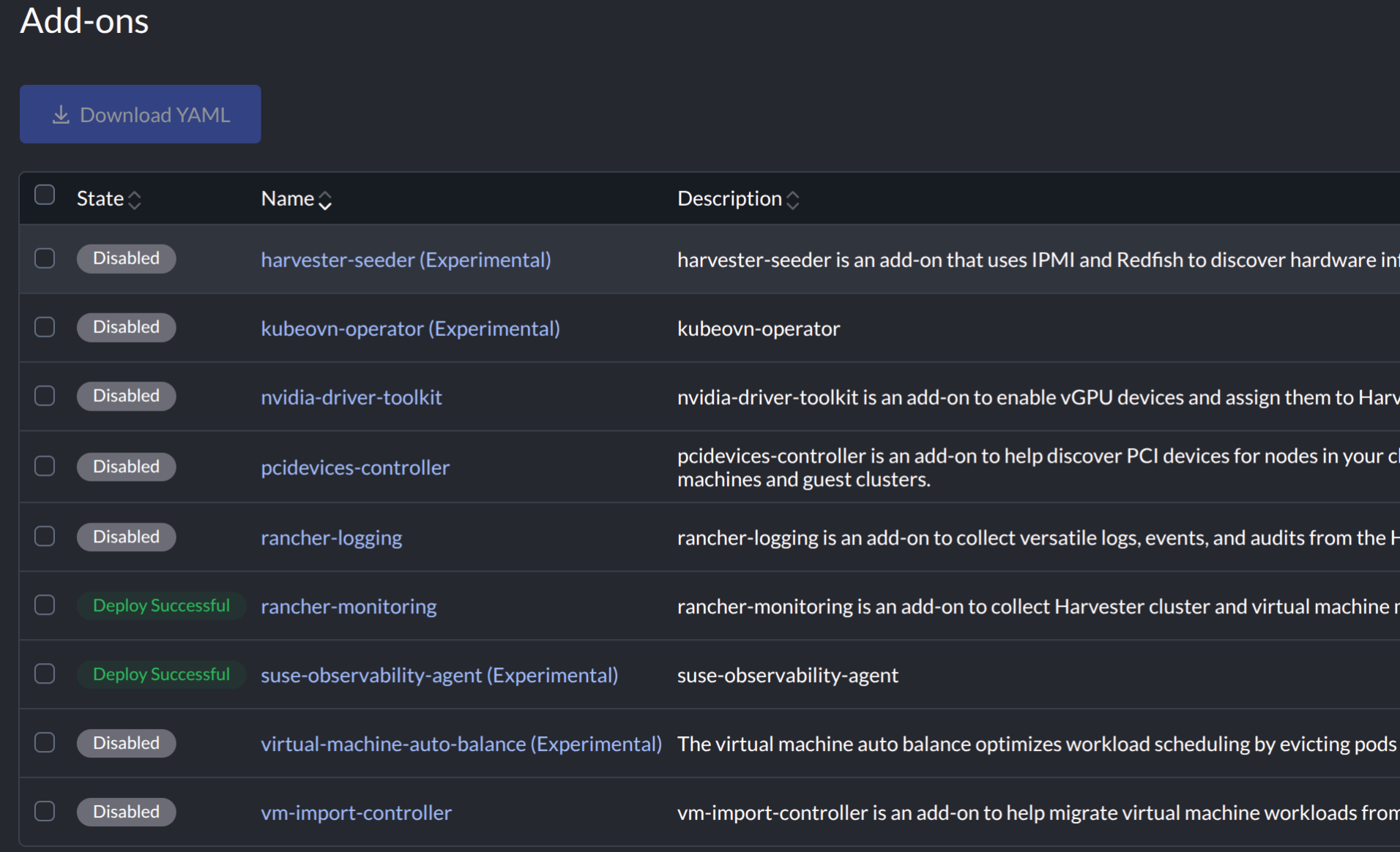
When the add-on is enabled, the following pods are deployed to the
suse-observabilitynamespace in SUSE Virtualization.$ kubectl get pods -n suse-observability NAME READY STATUS RESTARTS AGE helm-install-suse-observability-agent-tbk8w 0/1 Completed 0 7s suse-observability-agent-checks-agent-5f5f5dc5b4-jgr6w 0/1 Running 0 5s suse-observability-agent-cluster-agent-5f865f5f84-6q648 1/1 Running 0 5s suse-observability-agent-logs-agent-rd6ks 1/1 Running 0 5s suse-observability-agent-node-agent-c5ldd 1/2 Running 0 5s suse-observability-agent-rbac-agent-7888cc47c9-pgj22 1/1 Running 0 5sIn addition, the SUSE Virtualization instance is registered on the SUSE® Observability UI.