Restoring SUSE® Security Configuration
Restoring SUSE® Security Configuration
You can restore a previous SUSE® Security configuration by applying a configuration backup file. You can generate a backup manually or export one from the SUSE® Security console by navigating to Settings > Configuration and selecting one of the following options:
-
All configuration: Includes registry configurations, integrations, system settings, and policies.
-
Policy only: Includes rules and security policies.
You can also automate backups by using the REST API. For an example, see Export and import configuration files.
If all controllers stop running and the real-time configuration state is lost, SUSE® Security can automatically restore configuration when persistent storage is properly configured.
|
Starting with SUSE® Security v5.4.7, sensitive configuration data is encrypted by using a Kubernetes Secret named Versions 5.3.0 through 5.4.6 used a fixed, hard-coded encryption key. During an upgrade or restore, SUSE® Security automatically detects data encrypted with the legacy key and re-encrypts it by using a new key derived from Always upgrade to v5.4.7 or later before restoring configuration data. For details, see the security advisory: https://github.com/neuvector/neuvector/security/advisories/GHSA-h773-7gf7-9m2x |
|
SUSE® Security does not support partial restores (for example, restoring only network rules) or point-in-time restores. Use automation scripts to back up configuration files regularly and manage timestamped backups. For more information, see Export and import configuration files. |
|
Do not modify backup configuration files. Editing a backup file after export can cause restore failures or result in an unpredictable system state. |
|
Use backup configuration files only to restore SUSE® Security on the same cluster from which they were exported. Restoring a backup to a different cluster can result in unpredictable behavior. |
Encryption Key Management
The neuvector-store-secret contains the Key Encryption Key (KEK). SUSE® Security uses the KEK to generate Data Encryption Keys (DEKs), which encrypt sensitive configuration data.
Key behavior:
-
You must maintain and back up the
neuvector-store-secret. -
If the secret is missing or the key value does not meet length requirements, SUSE® Security automatically creates or updates it.
-
When SUSE® Security creates or updates the secret, it generates an alert reminding you to back it up.
-
If the KEK changes or is lost, previously encrypted data cannot be decrypted.
During rolling upgrades or restores:
-
Data encrypted with the legacy hard-coded key is re-encrypted by using a DEK derived from the KEK.
-
Data encrypted with a DEK derived from the KEK can be decrypted only by SUSE® Security using the same KEK.

When re-encryption occurs, SUSE® Security records the action and generates an event.
Sensitive Data Protected by Encryption
SUSE® Security encrypts sensitive data stored under the following key-value paths:
-
object/config/server/ldap1 -
object/config/server/oidc1 -
object/config/server/saml1 -
object/config/system -
object/config/registry -
object/config/federation/membership -
object/config/federation/clusters/… -
object/cert/…
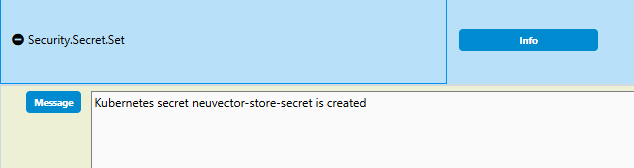
|
Always back up the When restoring SUSE® Security after data loss or to a new cluster, you must restore the same secret. Configuration backups without the corresponding secret cannot be decrypted. |
Recommended High Availability Settings
Manual backup and restore should be treated as a last-resort recovery option. For high availability, follow these recommendations:
-
Deploy SUSE® Security by using Helm with a ConfigMap for initial configuration.
-
Use CRDs to define policies such as network rules, process profiles, admission control, and other policies.
-
Run multiple controllers (a minimum of three) to synchronize configuration across pods, and schedule them on different hosts.
-
Configure persistent storage to recover from cluster-wide failures where all controllers stop running.
-
Regularly back up configuration to timestamped backup files.
-
Restore SUSE® Security configuration from a backup file only as a last resort, and reapply any CRDs that changed after the backup was created.