CPU Model Selection
SUSE Virtualization allows you to select a specific CPU model for each virtual machine. This setting is critical for successful live migration within mixed-CPU clusters.
Selecting a CPU model
When creating or editing a virtual machine on the SUSE Virtualization UI, go to the Advanced Options tab and locate the CPU Model field.
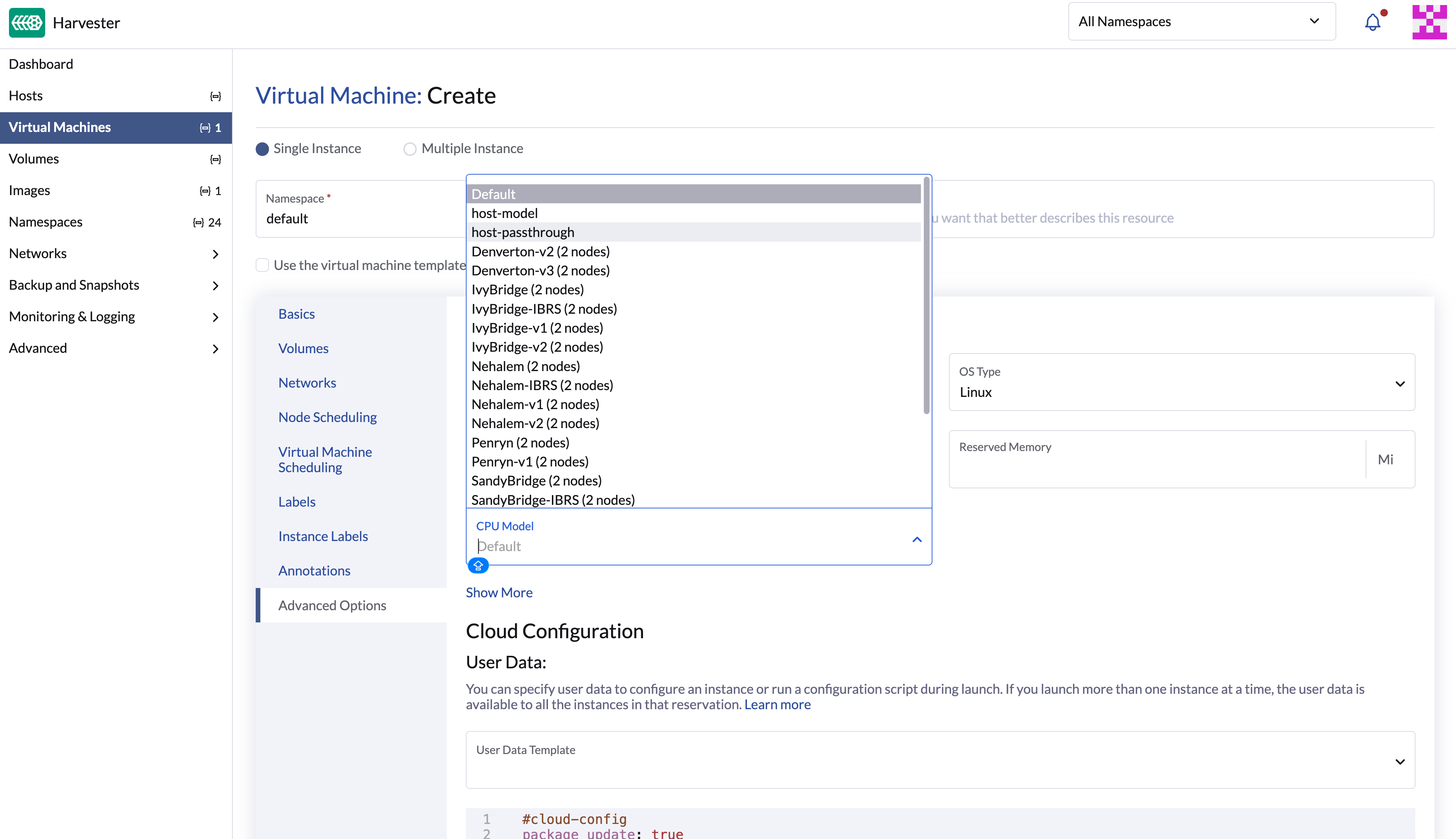
You can select any of the following options:
| Option | Description |
|---|---|
Default |
The system applies the cluster-wide CPU model defined in the KubeVirt resource. If none is specified, host-model is used. |
host-model |
The system selects a CPU model that matches the physical host’s capabilities. While ideal for clusters with identical CPU features, this option can cause live migration issues in mixed-CPU environments. |
host-passthrough |
The system passes the exact host CPU directly to the virtual machine. This option delivers maximum performance but completely prevents live migration to nodes with different CPU configurations. |
Named CPU model (for example, |
The system uses a QEMU-defined CPU model. This is the recommended option for mixed-CPU clusters. The dropdown list displays available CPU models alongside the number of compatible nodes (for example, |
Recommendations
-
For reliable live migration across identical or mixed CPU generations, use the Named CPU model option instead of host-model and host-passthrough.
-
Select the most advanced CPU model supported by every node within the cluster.
-
Apply identical CPU models to all virtual machines requiring live migration capabilities.
For more information about selecting a CPU model for live migration, including cluster-wide configuration and hardware examples, see Setting up a common CPU model for virtual machine migration.
Troubleshooting live migration failures
If live migration fails while using the host-model option within clusters with identical hardware, the issue typically stems from accumulated node selector constraints. During each migration, KubeVirt appends CPU feature labels (for example, cpu-feature.node.kubevirt.io/fpu: "true") to the virtual machine pod’s node selector. Migration will subsequently fail if a target node lacks any of these specific labels.
For troubleshooting tips, including rebooting the virtual machine and adjusting node labels manually, see Troubleshooting VM Live Migration Issues Caused by Node Selectors.