|
This is unreleased documentation for SUSE® Virtualization v1.9 (Dev). |
Bare-Metal Workloads
|
Do not use the embedded SUSE Rancher Prime instance to deploy and manage production bare-metal workloads. This embedded instance is strictly for cluster debugging and validation. You must use an external Rancher instance to manage container workloads running on a SUSE Virtualization cluster. |
Rancher harvester-baremetal-container-workload feature flag
|
This feature flag is generally available (GA) as of Rancher v2.15.0. |
Enabling the Rancher feature flag harvester-baremetal-container-workload exposes managed SUSE Virtualization clusters as traditional downstream Kubernetes clusters within the Rancher UI.

Once enabled, you can access and manage these SUSE Virtualization clusters from the following Rancher UI locations:
-
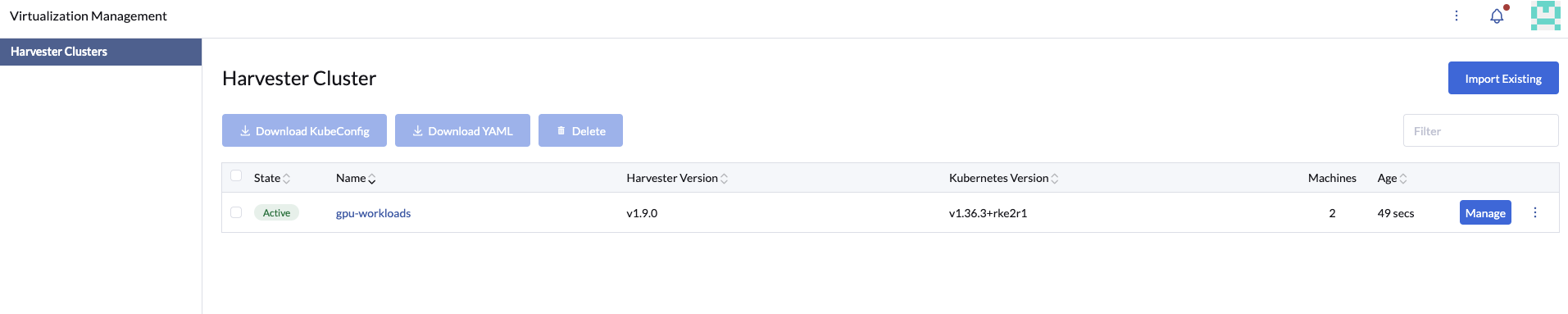
Virtualization Management → Harvester Clusters
-
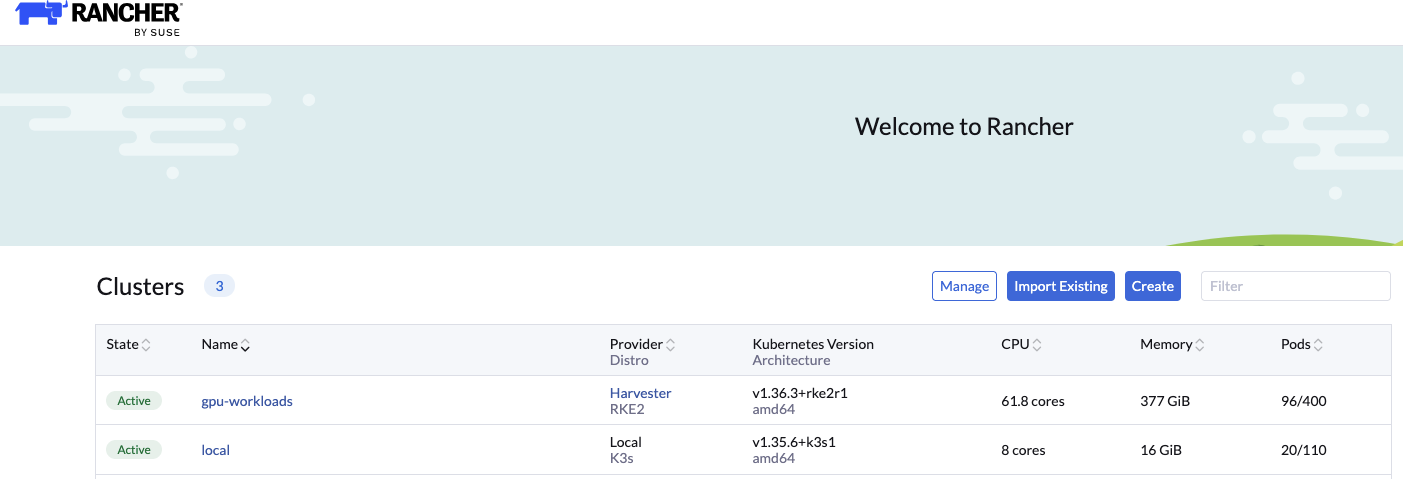
Cluster Management → Clusters
|
SUSE Virtualization manages the lifecycle of the following embedded add-ons:
These components are upgraded automatically as part of SUSE Virtualization cluster upgrades. Modifying or upgrading these add-ons manually out of band can result in cluster instability and other undesirable side effects. RKE2 and the operating system are upgraded automatically as part of SUSE Virtualization cluster upgrades. |
Bare-metal GPU workloads
This configuration applies only when running a combination of virtual machines using vGPUs alongside containers leveraging physical GPUs on the same SUSE Virtualization cluster.
SUSE Virtualization leverages the NVIDIA GPU Operator for bare-metal GPU workloads.
If your cluster includes multiple GPU-equipped nodes, you can dedicate specific nodes exclusively to bare-metal container workloads by applying the node label harvesterhci.io/gpu-baremetal-workloads: "true".
Applying this label disables SUSE Virtualization’s internal SRIOVGPUDevice management on the designated nodes and prevents nvidia-driver-toolkit pods from deploying to them, allowing the NVIDIA GPU Operator to take full control of the host GPU devices.
Sample cluster configuration
The following example uses a two-node SUSE Virtualization cluster with three physical GPUs:
-
Node
hp-195contains 2 GPUs. -
Node
hp-1992contains 1 GPU.
(⎈|local:default)➜  ~ kubectl get nodes -o wide
k NAME      STATUS   ROLES                AGE   VERSION          INTERNAL-IP     EXTERNAL-IP   OS-IMAGE           KERNEL-VERSION                     CONTAINER-RUNTIME
hp-195    Ready    control-plane,etcd   82d   v1.36.3+rke2r1   10.115.50.225   <none>        Harvester v1.9.0   6.12.0-160000.37-default (amd64)   containerd://2.3.3-k3s1
hp-1992   Ready    <none>               82d   v1.36.3+rke2r1   10.115.53.172   <none>        Harvester v1.9.0   6.12.0-160000.37-default (amd64)   containerd://2.3.3-k3s1
(⎈|local:default)➜  ~ kubectl get sriovgpudevices
NAME                ADDRESS        NODE NAME   ENABLED   VGPUDEVICES
hp-195-000026000    0000:26:00.0   hp-195      false
hp-195-000089000    0000:89:00.0   hp-195      false
hp-1992-000026000 0000:26:00.0 hp-1992 false-
Apply the label
harvesterhci.io/gpu-baremetal-workloads: "true"to the bare-metal GPU nodehp-1992.kubectl label node hp-1992 harvesterhci.io/gpu-baremetal-workloads=trueApplying this label removes the associated
SRIOVGPUDeviceson that node from SUSE Virtualization management.(⎈|local:default)➜ ~ kubectl get sriovgpudevices NAME ADDRESS NODE NAME ENABLED VGPUDEVICES hp-195-000026000 0000:26:00.0 hp-195 false hp-195-000089000 0000:89:00.0 hp-195 false (⎈|local:default)➜ ~ -
Apply the operand exclusion label to node
hp-195to prevent the GPU Operator from deploying container drivers to nodes reserved for virtual machine-based vGPU workloads.kubectl label node hp-195 nvidia.com/gpu.deploy.operands=false -
Deploy the NVIDIA GPU Operator to the cluster using a HelmChart resource.
apiVersion: helm.cattle.io/v1 kind: HelmChart metadata: name: gpu-operator namespace: kube-system spec: repo: https://helm.ngc.nvidia.com/nvidia chart: gpu-operator version: v26.3.2 targetNamespace: gpu-operator createNamespace: true valuesContent: |- toolkit: env: - name: CONTAINERD_SOCKET value: /run/k3s/containerd/containerd.sock driver: repository: registry.suse.com/third-party/nvidia usePrecompiled: true version: 595 -
After a few minutes, verify that all GPU Operator components are deployed and running on
hp-1992.(⎈|local:default)➜ ~ kubectl get pods -n gpu-operator -o wide NAME READY STATUS RESTARTS AGE IP NODE NOMINATED NODE READINESS GATES gpu-feature-discovery-jrkpl 1/1 Running 0 3m 10.52.1.41 hp-1992 <none> <none> gpu-operator-6d8769c57c-5vmxr 1/1 Running 0 3m31s 10.52.1.31 hp-1992 <none> <none> gpu-operator-node-feature-discovery-gc-847bb8f7b6-l6kt9 1/1 Running 0 3m31s 10.52.1.30 hp-1992 <none> <none> gpu-operator-node-feature-discovery-master-d98f944cd-sphdv 1/1 Running 0 3m31s 10.52.1.32 hp-1992 <none> <none> gpu-operator-node-feature-discovery-worker-6bhr2 1/1 Running 0 3m31s 10.52.1.33 hp-1992 <none> <none> gpu-operator-node-feature-discovery-worker-csz6t 1/1 Running 0 3m31s 10.52.0.82 hp-195 <none> <none> nvidia-container-toolkit-daemonset-9dfb6 1/1 Running 0 3m 10.52.1.36 hp-1992 <none> <none> nvidia-cuda-validator-kss5x 0/1 Completed 0 26s 10.52.1.42 hp-1992 <none> <none> nvidia-dcgm-exporter-zq594 0/1 Running 0 3m 10.52.1.39 hp-1992 <none> <none> nvidia-device-plugin-daemonset-b7g8z 1/1 Running 0 3m 10.52.1.40 hp-1992 <none> <none> nvidia-driver-daemonset-6.12.0-160000.37-default-sles16.0-8x7x6 1/1 Running 0 3m9s 10.52.1.34 hp-1992 <none> <none> nvidia-operator-validator-nbqd4 1/1 Running 0 3m 10.52.1.38 hp-1992 <none> <none> -
Test GPU workload execution by deploying a sample CUDA benchmark pod.
apiVersion: v1
kind: Pod
metadata:
name: nbody-gpu-benchmark
namespace: default
spec:
restartPolicy: OnFailure
# runtimeClassName: nvidia <== Only needed for v25.3.x
containers:
- name: cuda-container
    image: nvcr.io/nvidia/k8s/cuda-sample:nbody
    args: ["nbody", "-gpu", "-benchmark"]
    resources:
    limits:
        nvidia.com/gpu: 1
(⎈|local:default)➜ ~ kubectl get pod NAME READY STATUS RESTARTS AGE nbody-gpu-benchmark 0/1 Completed 0 11s (⎈|local:default)➜ ~ kubectl logs nbody-gpu-benchmark Run "nbody -benchmark [-numbodies=<numBodies>]" to measure performance. -fullscreen (run n-body simulation in fullscreen mode) -fp64 (use double precision floating point values for simulation) -hostmem (stores simulation data in host memory) -benchmark (run benchmark to measure performance) -numbodies=<N> (number of bodies (>= 1) to run in simulation) -device=<d> (where d=0,1,2.... for the CUDA device to use) -numdevices=<i> (where i=(number of CUDA devices > 0) to use for simulation) -compare (compares simulation results running once on the default GPU and once on the CPU) -cpu (run n-body simulation on the CPU) -tipsy=<file.bin> (load a tipsy model file for simulation) NOTE: The CUDA Samples are not meant for performance measurements. Results may vary when GPU Boost is enabled. > Windowed mode > Simulation data stored in video memory > Single precision floating point simulation > 1 Devices used for simulation MapSMtoCores for SM 8.9 is undefined. Default to use 128 Cores/SM MapSMtoArchName for SM 8.9 is undefined. Default to use Ampere GPU Device 0: "Ampere" with compute capability 8.9 > Compute 8.9 CUDA device: [NVIDIA L4] 59392 bodies, total time for 10 iterations: 56.420 ms = 625.207 billion interactions per second = 12504.139 single-precision GFLOP/s at 20 flops per interaction (⎈|local:default)➜ ~
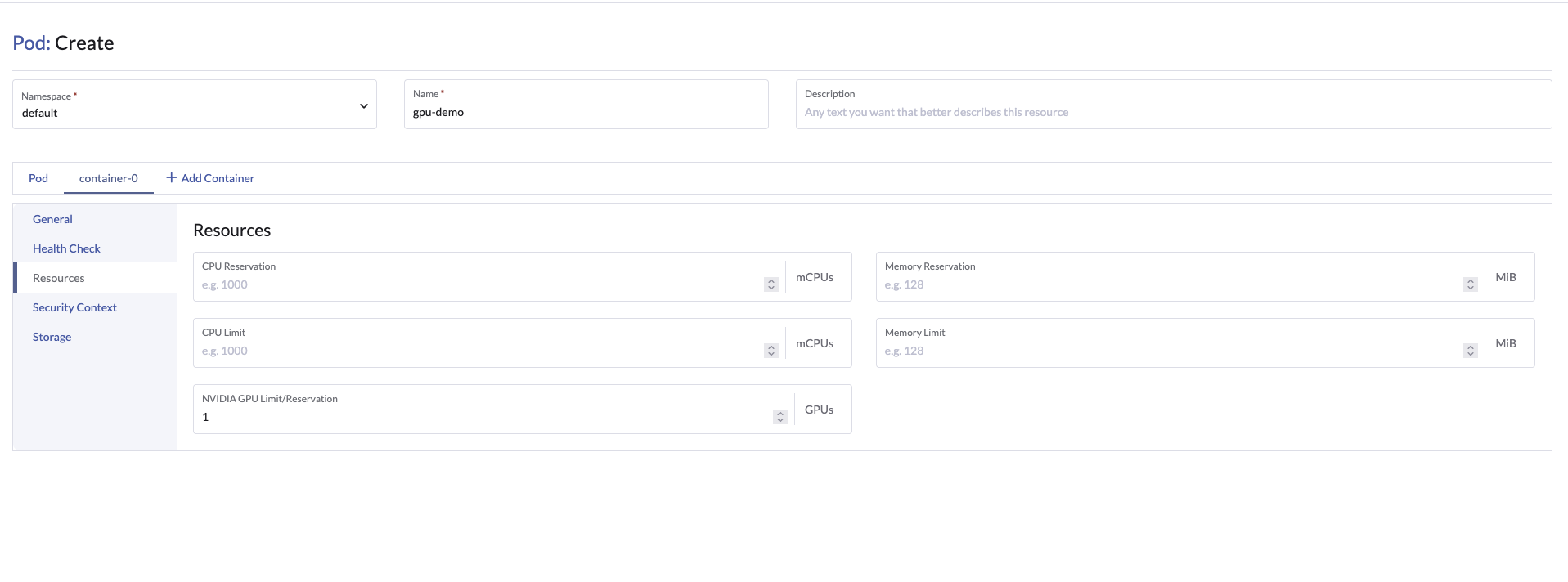
You can also configure GPU requests and limits for container workloads directly using the Rancher UI.